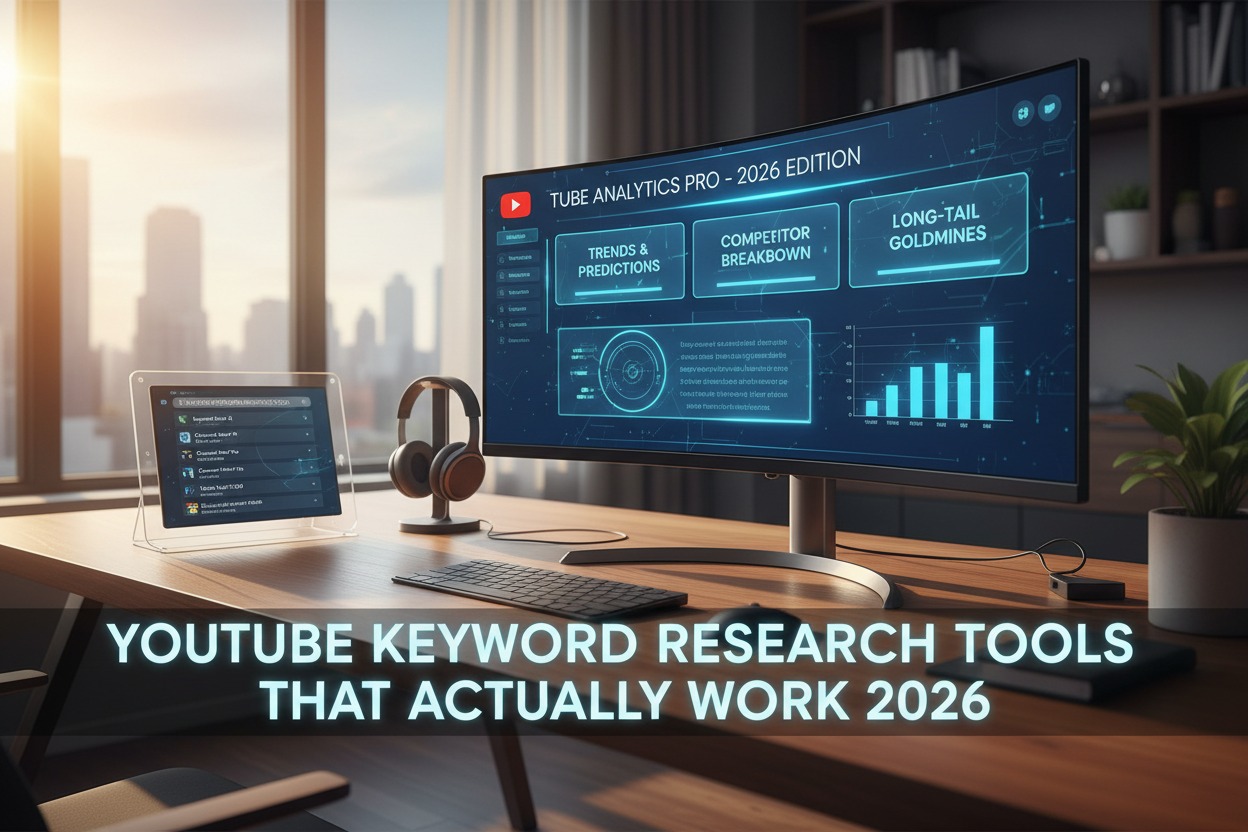
Discover the most effective YouTube keyword research tools for 2024. From free beginner options to advanced paid platforms, learn how to find low-competition, high-traffic keywords that will actually get your videos seen and grow your channel.
Introduction: Why “Good Enough” Keyword Research Isn’t Enough Anymore
In the sprawling digital metropolis that YouTube has become—with over 500 hours of video uploaded every minute—visibility isn’t just a nice-to-have; it’s the currency of survival. You could create the most valuable, beautifully produced video in your niche, but if no one can find it, it might as well not exist.
This is where keyword research transitions from a “best practice” to the single most important strategic activity for any serious creator. But here’s the uncomfortable truth: most creators are doing it wrong. They’re either guessing at keywords, copying what bigger channels are doing (too late), or using tools that provide surface-level data that leads nowhere.
Effective keyword research in 2024 isn’t about finding what’s popular. It’s about finding the strategic intersection of three critical factors:
- Search Volume: Are people actually looking for this?
- Competition: Can you realistically rank for it?
- Intent Alignment: Does the searcher’s goal match what your video delivers?
This comprehensive guide will walk you through the entire ecosystem of YouTube keyword research tools—separating the genuinely effective from the merely adequate—and provide a battle-tested framework for turning data into a content strategy that delivers consistent growth.
Part 1: The Foundation – Understanding YouTube’s Search Ecosystem
Before we dive into tools, we must understand what we’re optimizing for. YouTube’s search algorithm is distinct from Google’s, though they share DNA.

Key YouTube Search Characteristics:
- Query Length: Users often search in full sentences or questions (“how do I fix a dripping faucet” vs. “fix faucet”).
- Discovery vs. Search: A massive portion of views comes from “Suggested Videos” and the Homepage, not direct search. Your keyword strategy must account for this by targeting keywords that place you in valuable “watch next” pathways.
- The Satisfaction Metric: YouTube’s ultimate goal is watch time. It doesn’t just want to give searchers an answer; it wants to give them the most engaging answer that keeps them on the platform. Your keyword targeting must align with topics you can cover compellingly.
The Two Types of Keywords You Need to Find:
- Foundation Keywords: Broader, often competitive terms that define your niche (e.g., “meal prep,” “Python tutorial,” “guitar lessons”). You won’t rank for these immediately, but they inform your content pillars.
- Opportunity Keywords: Specific, often long-tail phrases with lower competition where you can gain an initial foothold, build authority, and start the algorithmic flywheel (e.g., “meal prep for college students with no oven,” “Python tutorial pandas dataframe merge,” “how to play the F chord cleanly acoustic guitar”).
The best tools help you identify both.
Part 2: The Toolbox – Categorized by Purpose and Budget
Category 1: The Free & Freemium Essentials (Start Here)
These tools are accessible to everyone and form the backbone of early-stage research.
1. YouTube’s Own Search Suggest – The Instant, Unfiltered Brainstormer
Cost: Free
Best For: Instant ideas, understanding search language, finding long-tail variations.
Often overlooked, the platform itself is the most direct insight into the searcher’s mind. It shows you, in real-time, what people are actually typing.
How to Use It Effectively:
- The Alphabet Technique: Type your seed keyword followed by each letter of the alphabet (e.g., “gardening a,” “gardening b,” “gardening c”). Record every suggestion.
- The Question Technique: Use “who,” “what,” “where,” “when,” “why,” and “how” before your keyword.
- The Comparison Technique: Use “vs,” “like,” “without,” “for beginners” after your keyword.
Pro Insight: These suggestions are weighted by popularity and recency. They reveal the precise language your audience uses—language you should mirror in your titles and descriptions.
2. Google Trends – The Macro Trend Spotter
Cost: Free
Best For: Identifying rising topics, seasonal trends, and comparing interest between related terms.
Google Trends doesn’t give you search volume numbers, but it provides the crucial direction and context for search interest.
Actionable Strategies:
- Filter by “YouTube Search”: This is non-negotiable. Always set your category to “Web Search” and change it to “YouTube Search.” You’re researching for YouTube, not Google.
- Compare Up to 5 Terms: Is interest higher in “air fryer recipes” or “instant pot recipes”? Which is growing? This can guide your niche focus.
- Set Geographic Boundaries: If your audience is specific to a country or region, filter accordingly.
- Use “Related queries” at the bottom: The “Breakout” queries (marked with a 📈) are gold. These are searches that have grown by over 5000%—often new, untapped opportunities.
Limitation: It’s relative. You know something is trending up, but not how many actual searches it represents.
3. AnswerThePublic – The Question & Intent Mapper
Cost: Free (limited searches), Paid from $99/month
Best For: Uncovering the specific questions people have around a topic—perfect for crafting video scripts that perfectly match search intent.
This tool visualizes search questions, prepositions, and comparisons. It turns a single keyword like “meditation” into a content goldmine: “meditation for anxiety,” “meditation before bed,” “meditation vs mindfulness,” “how to meditate for beginners.”
How to Apply It to YouTube: Each question or phrase is a potential video title or a key section within a longer “ultimate guide” video. Creating content that directly answers these questions signals strong relevance to YouTube’s algorithm.
4. TubeBuddy & vidIQ (Freemium Browser Extensions) – The On-Platform Data Overlays
Cost: Free tiers available; Paid plans from $7.50-$49/month
Best For: Getting quick, contextual data directly on YouTube, keyword expansion, and competition analysis.
These are the Swiss Army knives for YouTube creators. Their free browser extensions overlay valuable data onto YouTube itself.
Key Freemium Features for Keyword Research:
- Search Suggest Expansion: Automatically pulls hundreds of related search terms when you type in YouTube’s search bar.
- Keyword Score/Competition Data: Gives a 0-100 score estimating the competitiveness of a keyword (based on the channels ranking for it).
- Best Time to Publish: Suggests when to publish videos on a keyword-by-keyword basis for maximum initial traction.
The Verdict: Start with the free versions. They provide more than enough utility to validate keywords and find ideas. Upgrade to paid when you need deeper analytics and bulk processing.
Category 2: The Strategic Investment Tools (Scale Your Authority)
When you’re ready to move beyond guesswork and into data-driven strategy, these paid tools offer the depth needed to outmaneuver competitors.
1. Ahrefs & SEMrush – The Enterprise-Grade SEO Powerhouses
Cost: ~$99-$399/month
Best For: Serious creators, agencies, and businesses treating YouTube as a core marketing channel. They provide the deepest competitive intelligence and most accurate search volume data.
These are the tools professional SEOs use to dominate Google. Their YouTube-specific features are now robust enough to be game-changers.
Why They’re Worth the Investment:
- Accurate Search Volume Data: Unlike estimates, these tools often use real data streams to show how many times a keyword is searched monthly on YouTube.
- Keyword Difficulty (KD) for YouTube: They analyze the backlink and domain authority profiles of the channels ranking on page one. A low KD score means the ranking channels aren’t SEO powerhouses, giving you a realistic chance.
- The “Parent Topic” Analysis: You can see the broader topic clusters a keyword belongs to. This is essential for planning content series that build topical authority—a major ranking factor.
- Competitor Keyword Gap Analysis: The killer feature. You can input your channel and a competitor’s channel. The tool will show you all the keywords your competitor ranks for that you don’t. These are your immediate content opportunities.
Bottom Line: If you have the budget, Ahrefs or SEMrush provides an unfair advantage. They answer the critical question: “What should I make a video about that people are searching for, that I can actually rank for, and that my competitors haven’t fully captured?”
2. Morningfame – The Creator-Focused Specialist
Cost: $9.90 – $29.90/month
Best For: Data-driven creators who want clarity without the complexity of Ahrefs.
Morningfame is built exclusively for YouTube creators. Its interface is beautifully simple, but its insights are profound.
Standout Keyword Features:
- Opportunity Score: Its proprietary algorithm doesn’t just show competition; it suggests which keywords are the best opportunities for you, based on your channel’s size and performance history.
- “Research” Tab Workflow: It guides you from a seed keyword, to related terms, to a clear visualization of search volume vs. competition, helping you make smart choices quickly.
- Content Planning Integration: Found a great keyword? You can immediately add it to your content calendar and start scripting within the same platform.
The Verdict: The best pure YouTube SEO tool for creators who find TubeBuddy/vidIQ cluttered and Ahrefs overwhelming. It provides 80% of the actionable insights for 20% of the cost and complexity.
3. Keysearch – The Affordable All-Rounder
Cost: $17 – $49/month
Best For: Creators who need robust Google and YouTube SEO data on a budget.
Keysearch positions itself as a more affordable alternative to Ahrefs/SEMrush. Its YouTube-specific data has improved significantly.
High-Value Features:
- Strong YouTube Filter: You can filter all keyword research to show only YouTube-specific search volume and competition.
- Cost-Effective: It’s significantly cheaper than the enterprise tools while providing credible data.
- Decent Competitor Analysis: You can spy on competitor channels and see their top-ranking keywords.
Consideration: Its data sources aren’t as vast as the top-tier tools, but for most mid-sized creators, it’s more than sufficient to make informed decisions.
Category 3: The Niche & Emerging Tools
1. Kparser – The Long-Tail & International Specialist
Cost: Freemium; Paid from $16.50/month
Best For: Finding ultra-specific long-tail keywords and researching for non-English markets.
Kparser aggregates suggestions from YouTube, Google, Bing, Amazon, and more. Its strength is in volume and variety, generating thousands of phrase variations and questions.
2. Keywords Everywhere (Browser Extension) – The Lightweight Data Layer
Cost: Pay-as-you-go (e.g., $10 for 100,000 credits)
Best For: Casual, ongoing research. It adds monthly search volume and cost-per-click data directly onto Google, YouTube, and other sites as you browse.
It’s not a research platform, but a constant companion. As you browse YouTube or use Google Trends, you’ll see search volume numbers appear automatically. This turns every browsing session into a low-effort research opportunity.
Part 3: The Battle-Tested Keyword Research Framework
Tools are useless without a process. Follow this framework to turn data into a content calendar.
Phase 1: Discovery (Cast a Wide Net)
- Start with Your Seed: Begin with 3-5 broad keywords that define your channel’s core.
- Expand with Free Tools: Use YouTube Search Suggest and AnswerThePublic’s free plan to generate hundreds of related questions, phrases, and long-tail variations. Dump everything into a spreadsheet (Column A: “Keyword Ideas”).
Phase 2: Validation (Separate Gold from Dirt)
- Add Data Columns: In your spreadsheet, create columns for:
- Estimated Monthly Volume (from TubeBuddy/vidIQ or Keywords Everywhere)
- Competition Score (from TubeBuddy/vidIQ or Ahrefs)
- Opportunity Score (if using Morningfame)
- Intent (Informational “How to?”, Commercial “Best X?”, Transactional “Buy X”).
- The “Goldilocks” Filter: Sort and filter to find keywords with:
- Decent Volume (100+ searches/month is a good starting point; don’t ignore 10-50/month for micro-niches).
- Low-to-Medium Competition (This is the hardest metric to gauge. Use a tool’s score and manually check the videos on page one. Are they from massive channels with millions of subs? Or smaller, relatable channels?).
- Perfect Intent Alignment (Does the searcher want a quick tip, a full tutorial, a review, or entertainment? Your video format must match).
Phase 3: Strategic Mapping (From Keywords to Content)
- Group by Topic Cluster: Don’t just pick random keywords. Group related keywords together. For example, “guitar string tuning,” “how to tune a guitar,” and “standard guitar tuning” become one “Ultimate Guitar Tuning Guide” video.
- Assign Content Formats:
- High-Competition, High-Volume “Pillar” Keywords: Plan a comprehensive, flagship video (15+ minutes). This is your authority builder.
- Mid-Competition, Mid-Volume “Cluster” Keywords: Create standard, high-quality tutorials (8-12 minutes). These are your workhorses.
- Low-Competition, Lower-Volume “Long-Tail” Keywords: Perfect for Shorts, community posts, or quick-tip videos. These build momentum and niche authority.
- Plan Your Content Calendar: Slot these grouped ideas into a publishing schedule, balancing effort (pillar videos) with consistency (cluster/long-tail content).
Part 4: Advanced Tactics & Pro Secrets
1. The “People Also Ask” & “Channels” Hack
After performing a search on YouTube, scroll down. You’ll find two goldmines:
- “People also ask”: These are related questions YouTube’s algorithm deems highly relevant. Each is a video section or a future video idea.
- “Channels”: This shows channels YouTube associates with the search. Study these channels. What are their top-performing videos about? This reveals subtopics with proven appeal.
2. The “Autoplay Pathway” Reverse Engineering
- Find a successful video in your niche (not necessarily a direct competitor).
- Let it play to the end and see what video YouTube autoplays next.
- Click on that video and repeat 2-3 times.
- You’ve now mapped a “watch pathway.” The keywords/titles of these videos represent a thematic cluster the algorithm has validated. Create content that fits into this pathway.
3. Leveraging Your Own Analytics (The Secret Weapon)
Go to YouTube Studio > Analytics > Reach > Traffic Sources: YouTube Search.
- Click on a term that brought you traffic.
- Now click “See more” at the bottom. This shows you other searches people made who also found that same video. These are your most valuable, validated keyword variations—direct from your audience. Prioritize creating content around these related terms.
Part 5: Common Pitfalls & How to Avoid Them
Pitfall 1: Chasing Volume Over Relevance.
Mistake: Targeting “make money online” (10M searches) with your small e-commerce tutorial channel.
Fix: Niche down to “how to set up Shopify shipping zones” (500 searches). The audience is tiny but perfectly targeted and convertable.
Pitfall 2: Ignoring User Intent.
Mistake: Creating a 20-minute in-depth review for the keyword “iPhone price” (searcher wants a quick answer, likely a Short or a quick comparison).
Fix: Before creating, manually search the keyword. What are the top results? 10-minute reviews or 60-second Shorts? Match the format of the winners.
Pitfall 3: Keyword Cannibalization.
Mistake: Creating five different videos all targeting slight variations of “beginner yoga routine,” causing them to compete against each other in search.
Fix: Consolidate. Make one definitive “Complete Beginner Yoga Routine” video and use the variations in the description/tags. Or, differentiate them strongly: “10-Minute Morning Yoga,” “Yoga for Back Pain,” etc.
Pitfall 4: Analysis Paralysis.
Mistake: Spending 10 hours researching for one perfect keyword and never hitting publish.
Fix: Implement the 80/20 rule. Use the free tools, find a decent opportunity, and create. Execution beats perfect planning. You’ll learn more from one published video’s analytics than from 100 hours of hypothetical research.
Conclusion: Your Path Forward
The landscape of YouTube keyword research is rich with tools, but the fundamental principle remains: you are solving problems and answering questions for a specific group of people.
Start your journey today:
- Commit 30 Minutes: Use the free YouTube Search Suggest and Google Trends to brainstorm 50 potential video ideas related to your niche.
- Validate Your Top 5: Use TubeBuddy’s or vidIQ’s free extension to get a rough sense of competition for those ideas.
- Create and Learn: Pick the most promising one and make your video. Publish it. Study the search terms that bring people to it.
The most powerful keyword research tool isn’t listed here. It’s your published content and the analytics it generates. The data from your own channel, revealing what your specific audience seeks, is the ultimate guide. The external tools we’ve covered are simply there to point you in the right direction and help you interpret the signals.
Stop guessing. Start researching. And most importantly, start creating with purpose. Your audience is out there searching—make sure they can find you.