How to Recover Disabled Facebook Account 2026: Recover your disabled Facebook account in 2026 with our comprehensive guide. Find out what to do and how to avoid future account restrictions.
Understanding Why Facebook Accounts Get Disabled
Before attempting recovery, it’s crucial to understand why Facebook disables accounts. Knowing the reason can help you choose the right recovery approach and prevent future issues.
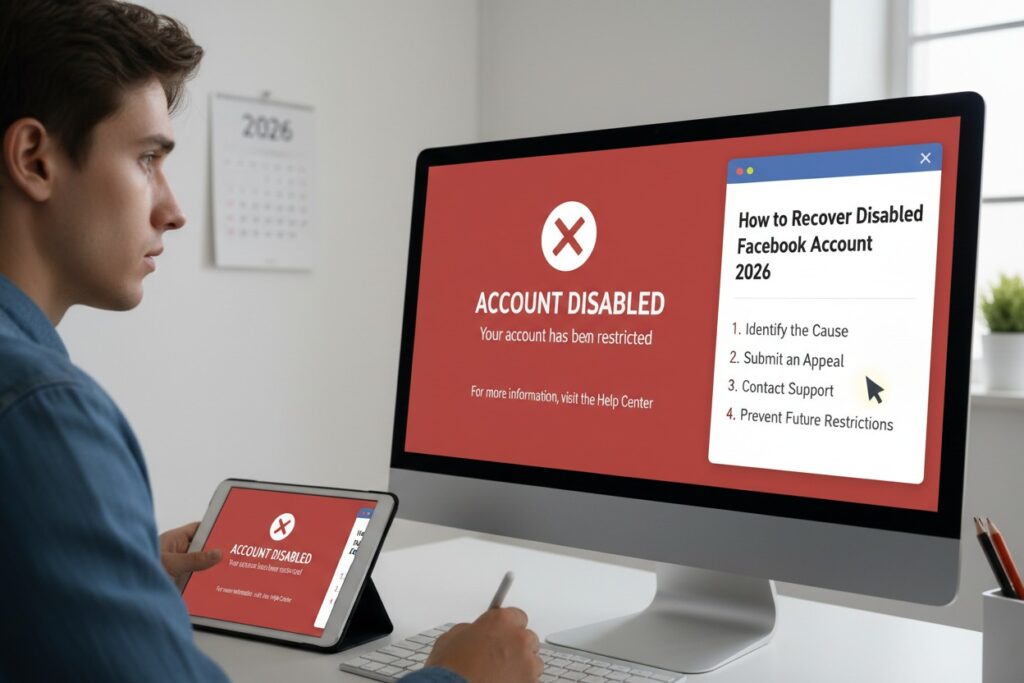
Common Reasons for Account Disablement:
- Violating Community Standards: Hate speech, bullying, graphic violence, nudity
- Impersonation: Creating an account pretending to be someone else
- False Information: Using a fake name or birthdate
- Security Concerns: Suspicious login activity or hacking attempts
- Spam Behavior: Excessive posting, messaging, or friend requests
- Intellectual Property Violations: Repeated copyright infringement
- Automated Behavior: Using bots or unauthorized automation tools
- Inactivity: Extended periods without login (less common)
Types of Facebook Restrictions:
- Temporary Disablement: Usually 24-72 hours with option to appeal
- Permanent Disablement: Serious violations with difficult recovery
- Limited Functionality: Can still access some features but restricted
- Login Prevention: Can’t access account at all
Immediate Steps to Take When You Discover Your Account is Disabled
Step 1: Don’t Panic or Create Multiple Accounts
- DO NOT immediately create a new account (violates Facebook policies)
- DO NOT ask all your friends to report an issue (may backfire)
- DO NOT spam Facebook with multiple appeals (slows process)
Step 2: Carefully Read the Notification
When you try to login, Facebook shows a specific message:
- “Your account has been disabled”
- “You’ve violated our Community Standards”
- “We need to confirm it’s you”
- “Your account is temporarily unavailable”
Take a screenshot of the exact message for reference.
Step 3: Check Your Email
Facebook sends detailed notifications to your registered email:
- Search for emails from
security@facebook.comorsupport@facebook.com - Check spam/junk folders
- Note any specific violation codes mentioned
Primary Recovery Methods
Method 1: Standard Appeal Process (Most Common)
For Personal Accounts:
- Go to
facebook.com/help/contact/260749603972907 - Enter your email address or phone number associated with the account
- Enter your full name as it appears on your Facebook account
- Upload identification (see ID requirements below)
- Add any additional details in the “Additional Info” box
- Click “Send”
What to Include in “Additional Info”:
- Brief, polite explanation
- Assurance you’ve read Community Standards
- If mistaken identity, explain clearly
- If hacked, mention this
- If unsure why disabled, say so politely
Method 2: ID Verification Process
Facebook often requires government-issued ID to verify identity:
Acceptable Forms of ID:
- Driver’s license
- Passport
- National identification card
- Birth certificate
- Marriage certificate
- Green card or residence permit
- Official name change paperwork
ID Submission Tips:
- Take clear, well-lit photos
- Ensure all four corners are visible
- Information must be readable
- Name should match your Facebook profile
- Black out sensitive information like license number if concerned (though Facebook may reject obscured IDs)
Method 3: The “My Personal Account Was Disabled” Form
The most direct form for disabled accounts:
- Visit
facebook.com/help/contact/logout?id=260749603972907 - Fill in all required fields accurately
- Use the same email associated with your account
- Be consistent with your profile information
Specialized Recovery Paths Based on Disablement Reason
If You Were Hacked:
- Visit
facebook.com/hacked - Follow “My Account Is Compromised” path
- You may need friends to verify your identity
- Have them visit
facebook.com/recover
For Impersonation Reports:
If someone reported you as fake:
- Use the ID verification method
- Submit multiple forms of ID if possible
- Explain any nickname/maiden name discrepancies
For Intellectual Property Issues:
- You’ll need to file a counter-notification if you believe it’s mistaken
- Visit Facebook’s Help Center for copyright issues
- Be prepared to provide proof of rights
For “Too Young” Disablement:
If created account under age 13:
- You must wait until you’re 13+ to recover
- Then use ID showing current age
- Explain the situation clearly
Advanced Recovery Strategies
Strategy 1: The Friend Verification Method
Sometimes Facebook allows friends to verify your identity:
- Ask 3-5 trusted friends who you’ve interacted with recently
- Give them this URL:
facebook.com/recover - They enter your email or phone number
- They receive a code to confirm your identity
- This works only if Facebook offers this option for your account
Strategy 2: Business Account Backdoor
If you had a Business Manager or ad account:
- Try accessing
business.facebook.com - Use business email if different from personal
- If you can access Business Manager, you may find options to appeal personal account disablement
- This sometimes provides additional support channels
Strategy 3: Data Download Request
Even if disabled, you might request your data:
- Visit
facebook.com/help/contact/302796602740509 - Request download of your information
- This sometimes triggers review of your account status
- Also preserves your data while appealing
What to Do While Waiting
Expected Timeframes:
- Initial response: 24 hours to several days
- Full review: 1-4 weeks typically
- Complex cases: Can take several months
While Waiting:
- Don’t submit multiple appeals – This resets your place in queue
- Check email daily – Including spam folder
- Prepare backup plans – Secure other accounts that used Facebook login
- Document everything – Dates, methods tried, reference numbers
- Secure related accounts – Change passwords on email, Instagram (if linked)
Preventing Future Disablements
Once Recovered, Immediately:
- Review and strengthen security settings:
- Enable two-factor authentication
- Review active sessions
- Update password
- Review privacy settings
- Remove any questionable content
- Review friends list and remove unknown contacts
- Check page/admin roles
Long-Term Prevention:
- Read Community Standards – Actually read them at
facebook.com/communitystandards - Use real information – But balance with privacy concerns
- Avoid automation tools – No bots for liking, commenting, or messaging
- Be cautious with third-party apps – Review permissions carefully
- Don’t buy/sell accounts – Violates terms
- Be mindful of frequency – Don’t send massive friend requests or messages
- Report issues properly – Don’t misuse report features
When Standard Methods Fail: Escalation Paths
Option 1: Facebook’s Oversight Board
For serious cases with potential policy errors:
- Visit
oversightboard.com - Understand this is for significant content moderation issues
- Not for general account recovery but may apply in some cases
Option 2: Media/Regulatory Escalation (Last Resort)
If truly wrongly disabled and all else fails:
- Contact tech journalists who cover Facebook
- File complaint with relevant consumer protection agency
- In EU: Consider GDPR/data access requests
- In US: State Attorney General complaint
Important: Only use these for legitimate cases of Facebook error, not because you violated terms and are unhappy with consequences.
Common Mistakes to Avoid
During Recovery:
- Creating new accounts – Automatic violation, all related accounts may be disabled
- Lying to Facebook – Providing false information worsens situation
- Getting angry in communications – Polite persistence works better
- Using someone else’s ID – Serious violation, possible legal issues
- Asking friends to mass-report – Appears as coordinated inauthentic behavior
In Communication:
- DON’T SAY: “I didn’t do anything wrong!” (Be specific)
- DON’T SAY: “This is unfair!” (Be factual)
- DON’T SAY: “I need this for my business!” (Focus on policy compliance)
- DO SAY: “I believe there’s been a misunderstanding because…”
- DO SAY: “I’ve reviewed Community Standards and will comply”
- DO SAY: “Can you clarify which specific policy was violated?”
Alternative Options if Recovery Fails
If Account is Permanently Lost:
- Data Preservation: Request download of your data (may still be possible)
- Create New Account Carefully:
- Wait at least 30 days
- Use different email
- Don’t friend same people immediately
- Don’t upload same photos
- Use different device/network if possible
- Notify Contacts: Let important connections know through other channels
- Update Linked Accounts: Change login methods for sites that used Facebook Login
Moving Forward:
- Consider diversifying your social media presence
- Maintain separate business and personal communications
- Regular backups of important content
- Use email newsletters to maintain audience connections outside Facebook
Special Cases and Additional Resources
For Memorialized Accounts:
If account holder is deceased:
- Visit
facebook.com/help/contact/2288132571974800 - Request memorialization or removal
- Provide proof of death and relationship
For Disabled Pages/Groups:
Different process than personal accounts:
- Visit
facebook.com/help/contact/274459462613320 - Page admins can appeal
- Need to prove ownership/authorization
Official Facebook Resources:
- Help Community:
facebook.com/help - Community Standards:
facebook.com/communitystandards - Data Policy:
facebook.com/about/privacy - Security Tips:
facebook.com/help/security
Success Rate Realities
Based on user reports and Facebook transparency data:
- First appeal success rate: ~30-40% for minor violations
- ID verification success: ~50-60% for impersonation/age issues
- Hacked account recovery: ~70% if acted quickly
- Serious violations (hate speech, graphic content): <10% recovery
- Business/creator accounts: Slightly higher success with documentation
Patience is critical: The process is largely automated initially, with human review only at later stages.
Final Checklist Before Submitting Appeal
- [ ] Gathered all necessary information (email, phone, name on account)
- [ ] Have government-issued ID ready (clear digital copy)
- [ ] Written a concise, polite explanation
- [ ] Screenshotted the disablement message
- [ ] Checked associated email for Facebook notifications
- [ ] Secured email account with strong password/2FA
- [ ] Prepared to wait 1-4 weeks for response
- [ ] Understood which Community Standards might have been violated
- [ ] Not created any alternative accounts
- [ ] Accepted possibility that recovery may not succeed
Important Reminders
- Facebook’s decision is usually final for serious violations
- You agreed to their terms when creating the account
- Prevention is easier than recovery – understand and follow policies
- Multiple violations lead to permanent disablement with no appeal
- The process is frustrating but maintaining professionalism helps
- Consider this a digital hygiene lesson for all online accounts
While Facebook account recovery can be challenging and sometimes unsuccessful, methodical, patient use of official channels gives you the best chance. Thousands of accounts are recovered weekly, so if your disablement was accidental or for minor reasons, persistence with proper procedures often pays off.
Disclaimer: This guide is for informational purposes. Facebook’s policies and recovery processes change frequently. For the most current information, always check Facebook’s official Help Center. This article does not guarantee account recovery and is not legal advice.