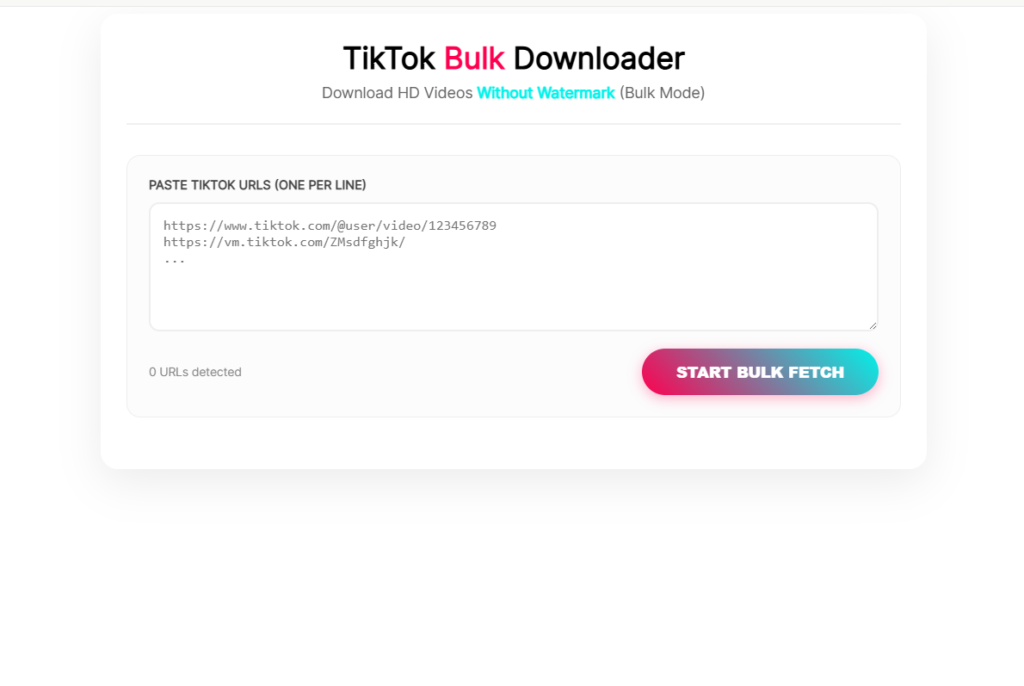
TikTok Bulk Downloader
Download HD Videos Without Watermark (Bulk Mode)
TikTok Bulk Downloaders: Strategy, Architecture, and Workflows
The rapid evolution of short-form video has completely changed how digital media is produced, archived, and analyzed. For content creators, social media managers, data scientists, and competitive researchers, TikTok represents one of the largest video repositories in the world. However, manually saving videos one by one is an inefficient use of time—especially when managing extensive portfolios, conducting brand audits, or building offline creative archives.
An optimized TikTok bulk downloader workflow allows you to systematically extract whole profiles, trending hashtag grids, or curated lists of links simultaneously.
This comprehensive guide breaks down the core architecture of mass video extraction, evaluates the top enterprise and open-source tools available, outlines step-by-step implementation workflows, and analyzes how to preserve high-definition content assets safely and efficiently.
1. The Core Architecture of Mass Video Extraction
To build a reliable bulk downloading pipeline, it helps to understand how the underlying platform handles data distribution. TikTok does not serve raw media files directly from its primary app servers. Instead, it relies on a complex network infrastructure optimized for speed, low latency, and rights protection.
Scraping Request ➔ Metadata Parsing ➔ CDN URL Extraction (No-Watermark) ➔ Concurrent Chunk Downloading
The Three Extraction Pillars
- API/HTML Metadata Parsing: When a bulk downloader views a profile, it first runs a script to read the page’s HTML structure or capture native API data streams. This allows it to gather a complete inventory of video IDs, descriptions, publish dates, and engagement metrics.
- CDN Target Relocation: The video streams you see on mobile devices are heavily compressed and embedded with visual watermarks. Advanced bulk downloaders scan the video’s background metadata to isolate the direct, unwatermarked source file hosted on TikTok’s Content Delivery Network (CDN).
- Concurrent Threading: Instead of downloading one file at a time, high-performance extraction engines open multiple parallel network connections (concurrency). This approach allows them to download large groups of videos simultaneously without stalling your internet bandwidth.
2. Navigating the Anti-Scraping Ecosystem
Because the platform aggressively protects its bandwidth and user ecosystem, implementing bulk downloads requires navigating strict anti-bot security protocols. If a script requests hundreds of video files in rapid succession from a single home internet connection, the security layers will flag the traffic, issuing rate limits (HTTP 429 Too Many Requests) or temporary IP address blocks.
To bypass these operational bottlenecks, professional enterprise tools and developer frameworks deploy specific defensive countermeasures:
Raw Request Queue ➔ User-Agent Spoofing ➔ Cookie Injection (.txt) ➔ Rotating Residential Proxies
- User-Agent Spooling: Automated scripts modify their network headers to mirror common consumer web browsers (like Chrome or Safari running on Windows or macOS), masking the automation layer.
- Session Cookie Injection: By importing an active session configuration file (
cookies.txt), the downloader presents a valid login state to the security gates. This drastically minimizes automated bot verification challenges (like CAPTCHAs). - Rotating Residential Proxies: For large-scale data extraction, cloud platforms route requests through an automated network of rotating residential proxy servers. By cycling to a fresh, legitimate IP address for every video download, the pipeline reduces platform detection rates by over 95%.
3. Top TikTok Bulk Downloader Frameworks: Features & Trade-offs
Choosing the right software stack depends entirely on your technical expertise, project scale, and the specific operating systems running your workspace.
| Tool Category | Core Software Examples | Key Structural Advantage | Best Suited For |
| Command-Line Interface (CLI) | yt-dlp, Custom Python Asyncio Scripts | Open-source, entirely free, zero vertical scaling limits, automated scheduling | Programmers, data engineers, and advanced power users |
| Browser Extensions | KOLSprite, TikTok Video/Bulk Tool | Embedded directly inside the web UI, easy point-and-click sorting and filtering | Digital marketers, dropshippers, and creative teams |
| Desktop Software | 4K Tokkit, UniConverter | User-friendly GUI dashboards, automatic offline backups, organized folder management | Independent creators and general consumers |
| Cloud-Native APIs | Apify TikTok Actors, Octoparse Scraper | Pre-built proxy rotation, cloud-based processing, automatic integrations with Google Drive/Dropbox | Enterprise agencies and large-scale data scrapers |
4. Developer Blueprint: Open-Source CLI Extraction
For technical users who want maximum control without paying licensing fees, pairing the command-line utility yt-dlp with an automated browser URL collector provides a robust, professional extraction setup.
Step 1: Collect Video Targets via Browser Console
To download videos in bulk, you first need an organized list of source links. Navigate to your target profile page ([https://www.tiktok.com/@username](https://www.tiktok.com/@username)) in a desktop web browser. Scroll down until the entire video grid loads completely.
Open your browser’s Developer Tools Console (F12 or Ctrl+Shift+I), paste the following clean JavaScript snippet, and press Enter:
JavaScript
// Automatically scrolls, grabs all visible TikTok video URLs, and exports them as a clean text file
(function() {
    const videoAnchors = document.querySelectorAll('a[href*="/video/"]');
    const targetUrls = Array.from(videoAnchors).map(anchor => anchor.href);
    const uniqueUrls = [...new Set(targetUrls)];

    if (uniqueUrls.length === 0) {
        console.error("No valid video links discovered on this viewport.");
        return;
    }

    const outputBlob = new Blob([uniqueUrls.join('\n')], { type: 'text/plain' });
    const downloadElement = document.createElement('a');
    downloadElement.href = URL.createObjectURL(outputBlob);
    downloadElement.download = 'tiktok_extraction_queue.txt';
    document.body.appendChild(downloadElement);
    downloadElement.click();
    document.body.removeChild(downloadElement);

    console.log(`Successfully generated a queue file holding ${uniqueUrls.length} unique video URLs.`);
})();
This routine instantly compiles every video asset url visible on your screen into a structured line-by-line file named tiktok_extraction_queue.txt inside your local downloads folder.
Step 2: Execute the Bulk Download via Terminal
Move your generated text file into your active working directory. Open your terminal window and run the optimized yt-dlp command below to process the list using efficient multi-threading:
Bash
yt-dlp -a tiktok_extraction_queue.txt \
       --cookies cookies.txt \
       -P "~/Downloads/TikTokArchive" \
       -o "%(uploader)s/%(upload_date)s_%(id)s.%(ext)s" \
       --concurrent-fragments 4 \
       --bidi-workaround
Breaking Down the Command Options
-a tiktok_extraction_queue.txt: Instructs the execution engine to batch-process every link saved in your text file.--cookies cookies.txt: Injects an exported browser cookie string to establish a secure session state and prevent rate blocks.-P "~/Downloads/TikTokArchive": Sets the exact local directory paths where your assets will be stored.-o "%(uploader)s/%(upload_date)s_%(id)s.%(ext)s": Dynamically organizes your downloads into structured folders sorted by creator handle, automatically naming files with chronological date prefixes.
5. Non-Technical Workflows: UI Extensions & Cloud Tools
If managing raw terminal lines or text scripts does not fit your operational style, you can use specialized browser extensions or cloud scraping engines to streamline your asset management.
1.Install an Integrated Workspace Extension:Environment Setup.
Open the Chrome Web Store or Edge Add-ons marketplace. Search for and install a dedicated short-form video workspace assistant like KOLSprite or the TikTok Video/Bulk Tool. Pin the extension to your browser bar for quick access.
2.Initialize the In-App Dashboard Hub:Target Scopes.
Navigate to the desktop version of TikTok and sign into your account. Go to the specific creator profile page, hashtag feed, or favorites folder you want to archive. The extension will automatically inject a smart control panel overlay directly onto the native web interface.
3.Apply Granular Metrics Sorting:Filtering Data.
Use the embedded control panel to sort the video grid based on specific metrics before downloading. Filter the feed by publish date ranges, or sort by high engagement metrics (such as maximum views or comment counts) to isolate top-performing assets.
4.Trigger No-Watermark Batch Downloads:Queue Processing.
Click the “Bulk Download” or “Download All” action button within the control panel. Select your preferred asset configuration (such as Original HD Video or MP3 Audio Extraction). The tool will compile the targets and save clean, watermark-free MP4 files straight into your local downloads folder.
6. Scaling Up to Cloud-Native API Scrapers
For enterprise teams running marketing agencies or large-scale data collection projects, local browser plugins and desktop tools can become performance bottlenecks. When your operations require gathering thousands of videos every single day, migrating your process to cloud-based automation environments like Apify or Octoparse becomes essential.
Automated Server-Side Pipelines
Cloud-native scrapers run on remote virtual servers, completely independent of your local machine’s internet connection. You simply provide target channel handles or search keywords to the platform API endpoint via an automated web hook.
The system initializes background runner tasks that automatically scale computational resources as needed. Because these virtual runners do not share your local digital fingerprint, they can scrape high-density channels holding thousands of videos without putting your local network at risk of IP blocks.
Incoming Webhook ➔ Cloud Virtual Worker Triggered ➔ Automated Data Output Storage (S3 / Drive)
Advanced Data Syndication & Asset Pipelines
The primary advantage of cloud extraction engines is their ability to connect directly to external storage and automated workflow tools. Instead of manually moving files across your local computer, you can configure cloud scrapers to instantly route completed downloads to your company storage buckets.
Once processing is complete, the tool can automatically deliver structured spreadsheets (containing video files, full text captions, and view counts) directly into Google Drive, Dropbox, or custom external databases. This creates an automated asset pipeline that keeps your creative and analytics teams supplied with fresh data around the clock.
7. Legal Boundaries, Copyright, and Fair Use Guidelines
Operating bulk download software comes with serious legal responsibilities. Having the technical ability to download thousands of video assets simultaneously does not give you legal ownership over that media. To avoid copyright strikes and intellectual property disputes, you must operate within strict legal boundaries.
The Creator Ownership Principle: Copyright law automatically protects creative works the moment they are generated. Every single short-form video file, background musical sequence, and script elements belongs strictly to the original creator who uploaded the asset.
Proper Asset Management Policies
- Secure Explicit Permissions: If you intend to repurpose, mash up, or re-upload downloaded video assets for any commercial purpose or advertising campaign, you must obtain written consent from the content creator first.
- Understand Fair Use Limitations: Using downloaded media without permission is generally restricted to non-commercial, transformative uses—such as educational analysis, media critique, or news reporting. Even within these parameters, always attribute the source channel clearly to maintain proper platform ethics.
- Adhere to Platform Security Regulations: Only scrape public profiles that are accessible to the general web. Never use technical workarounds to bypass private account settings or download restricted media assets.
Technical Summary Checklist for Production Deployment
To ensure your automated bulk downloading infrastructure runs at peak efficiency and avoids platform blocks, always review this technical checklist before launching a major extraction run:
- Deploy Session Validation: Verify that your
cookies.txttoken files are fresh and valid to prevent security gates from triggering bot verification challenges. - Enforce Delay Intervals: Program a randomized delay time (typically 2 to 5 seconds) between consecutive download loops to keep your data requests mimicking natural human browsing.
- Configure Organized Outputs: Use dynamic structural metadata arguments in your file-saving code to automatically sort your downloads into clean, date-prefixed folders.
- Isolate Source URLs: Make sure your downloading scripts target the clean, unwatermarked source files directly on the CDN servers to ensure you capture the highest original resolution available.