Best YouTube Video Downloader Tools: Safe & Free Options for 2026: With YouTube hosting billions of videos, having a reliable way to download content for legitimate offline viewing can be incredibly useful.
Introduction: Navigating the YouTube Downloader Landscape Safely
With YouTube hosting billions of videos, having a reliable way to download content for legitimate offline viewing can be incredibly useful. Whether you’re a student wanting to save educational tutorials, a professional needing training materials for travel, or simply someone with unreliable internet access, finding safe, free, and effective YouTube downloader tools is essential.
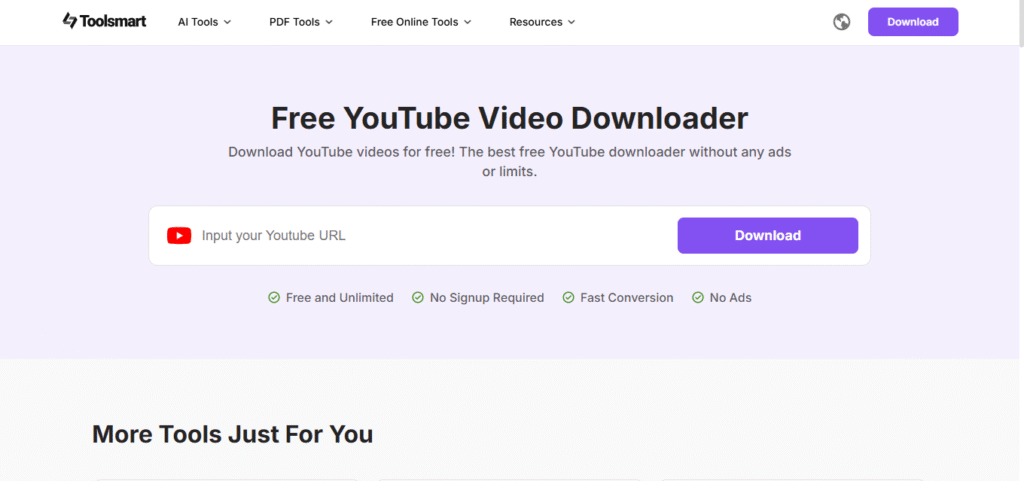
However, the downloader space is filled with potential risks: malware disguised as helpful software, intrusive adware, privacy-invading extensions, and services that might violate your security. This guide focuses exclusively on tools that balance functionality with safety, transparency, and respect for user privacy.
Important Legal & Ethical Considerations First
Before we dive into the tools, let’s establish crucial ground rules:
What’s Generally Legal & Ethical:
- Downloading content you own or created
- Downloading videos with explicit Creative Commons licenses allowing download
- Saving videos for personal offline viewing when you have legitimate access
- Preserving content that’s at risk of being removed from the internet
What’s Problematic:
- Downloading copyrighted content for redistribution
- Circumventing paywalls or premium content
- Mass downloading without considering fair use
- Using downloads for commercial purposes without permission
Safety First Principles:
- Always download from official sources (developer websites, reputable app stores)
- Use ad-blockers when visiting downloader sites (many are ad-heavy)
- Read permissions carefully for browser extensions
- Keep software updated to patch security vulnerabilities
- Use antivirus software to scan downloads
Category 1: Desktop Applications (Most Reliable & Feature-Rich)
1. yt-dlp (Free, Open Source)
Platform: Windows, macOS, Linux, Command Line
Why it’s safe: As an open-source project with thousands of contributors, its code is transparent and regularly audited. No ads, no tracking, no bundled malware.
Key Features:
- Successor to the legendary youtube-dl
- Command-line interface (with some GUI wrappers available)
- Supports 1000+ sites beyond YouTube
- Extremely fast updates when YouTube changes its system
- Can download highest available quality including 4K/8K
- Playlist and channel downloading capabilities
- Subtitle and metadata preservation
Best For: Technical users who want the most reliable, powerful solution.
Safety Tips: Download only from the official GitHub repository: github.com/yt-dlp/yt-dlp
2. 4K Video Downloader+ (Freemium)
Platform: Windows, macOS, Linux
Why it’s safe: Developed by a legitimate company (OpenMedia LLC), clear privacy policy, no hidden malware, widely reviewed by reputable tech publications.
Key Features (Free Version):
- Clean, intuitive interface
- Download up to 30 videos from a playlist
- 720p/1080p quality in free version
- Smart mode for consistent quality settings
- Subtitle downloading
- 3D and 360° video support
Limitations: Free version has some restrictions; 4K requires paid version.
Safety Tips: Download from official site: www.4kdownload.com
3. ClipGrab (Free, Open Source)
Platform: Windows, macOS
Why it’s safe: Open-source, regularly updated, no bundled adware in the standard download.
Key Features:
- Simple three-step interface
- Built-in search function
- Video conversion to multiple formats
- Quality selection up to 8K
- Completely free with no limitations
Best For: Users who want simplicity without technical complexity.
Safety Tips: Use the official site: clipgrab.org and avoid third-party download sites.
4. JDownloader 2 (Free, Open Source)
Platform: Windows, macOS, Linux
Why it’s safe: Open-source with active community, though the installer sometimes includes optional adware (which you can decline during installation).
Key Features:
- Not just for YouTube—supports hundreds of sites
- Powerful automation features
- Link crawling capabilities
- Resume broken downloads
- Password management
- Extensive plugin system
Safety Alert: During installation, carefully read each step and decline any optional software. The core application itself is safe.
Category 2: Browser Extensions (Convenient & Integrated)
1. Video DownloadHelper (Firefox, Chrome)
Platform: Browser extension with companion app
Why it’s safe: Long-standing reputation, clear privacy policy, optional companion app avoids cloud processing.
Key Features:
- Detects downloadable media on most websites
- Quality selection up to highest available
- Batch downloading
- Built-in converter
- Companion app for better performance
Privacy Note: The extension needs access to web page content to detect videos, but doesn’t collect personal data.
2. Open Video Downloader (Formerly YouTube DL)
Platform: Firefox
Why it’s safe: Open-source, minimal permissions, integrates with yt-dlp backend.
Key Features:
- Adds download button directly below YouTube videos
- Quality selector integrated into YouTube’s interface
- Lightweight with minimal resource use
- Privacy-focused design
Important Browser Extension Safety Rules:
- Check permissions: Why does a downloader need access to all websites?
- Read reviews: Look for patterns in user feedback
- Developer reputation: Prefer extensions from known developers
- Update frequency: Regularly updated extensions are more secure
- User count: More users often means more scrutiny
Category 3: Online Services (No Installation Required)
1. y2mate.com
Safety Level: Moderate (ad-heavy but widely used)
Features:
- No registration required
- Multiple format options
- Fast processing
- Quality up to 1080p
Safety Tips:
- Use with ad-blocker
- Don’t install any “downloader buttons” they might promote
- Close pop-ups immediately
2. SaveFrom.net
Safety Level: Moderate
Features:
- One of the oldest services
- Browser helper available
- Multiple site support
Cautions: The helper extension has faced criticism for excessive permissions. Use only the website without extensions.
Online Downloader Safety Protocol:
- Never download “helper software” from these sites
- Use a disposable browser or incognito mode to avoid tracking
- Don’t enter any personal information
- Expect ads—use ad-blockers
- Scan downloaded files with antivirus software
Category 4: Mobile Applications (Use With Extra Caution)
Android: NewPipe (Free, Open Source)
Why it’s safe: Open-source, no ads, no tracking, doesn’t require Google services.
Features:
- Background playback
- Picture-in-picture mode
- Download video and audio
- Subtitle support
- No YouTube account needed
Important: Not on Google Play Store. Download only from F-Droid or official GitHub repository.
iOS Limitations:
Due to Apple’s restrictions, legitimate YouTube downloaders are scarce on the App Store. The safest iOS approach is:
- Use Safari with reputable online downloaders
- Documents by Readdle app with built-in browser
- Shortcuts automation (though limited)
Avoid: Any iOS app claiming to download YouTube videos from the App Store—most violate terms and get removed quickly.
Security Deep Dive: Red Flags to Avoid
Definite Avoid List:
- Tools requiring payment for “faster speeds” – Usually scams
- Browser extensions with vague permissions – “Access all website data” is excessive
- Downloaders bundled with other software – Often include adware
- Sites asking for YouTube login credentials – Never legitimate
- Tools not updated in over 6 months – Likely broken or abandoned
Malware Signs:
- Unexpected system slowdown after installation
- New browser toolbars or homepage changes
- Pop-up ads appearing outside browsers
- Antivirus warnings (don’t ignore these!)
- Unfamiliar processes in task manager
Advanced Safety Practices for Power Users
1. Virtual Machines/Sandboxing
Run downloader software in isolated environments:
- Windows Sandbox (Windows 10/11 Pro)
- VirtualBox with lightweight Linux
- Sandboxie for Windows
2. Network Monitoring
Use tools like Wireshark or GlassWire to monitor what data applications send.
3. Checksum Verification
For open-source tools, verify downloads with provided SHA-256 checksums.
4. Permission Management
Use operating system features to restrict what applications can access.
Legitimate Alternatives to Downloading
Sometimes, there are better options than downloading:
YouTube Premium ($13.99/month)
- Official offline viewing feature
- Ad-free experience
- Supports creators
- No legal concerns
Creative Commons Content
Many creators use CC licenses allowing download and reuse:
- Filter YouTube search by “Creative Commons”
- Use platforms like Vimeo with clear licensing
- Explore archive.org for public domain content
Direct from Creators
Many creators offer downloads through:
- Patreon rewards
- Gumroad stores
- Personal websites
- Educational institution portals
The Verdict: Top Recommendations Based on Use Case
For Most Users: 4K Video Downloader+
- Balance of safety and ease-of-use
- Good free tier
- Regular updates
- Clear privacy policy
For Technical Users: yt-dlp
- Most reliable and powerful
- Completely free and open-source
- Fastest updates when YouTube changes
- Unlimited capabilities
For Firefox Users: Video DownloadHelper
- Convenient browser integration
- Long safety track record
- Good feature set
For Quick, One-Time Downloads: y2mate.com
- No installation
- Acceptable for occasional use
- With proper precautions
Frequently Asked Questions
Q: Are any of these tools 100% safe?
A: No software is 100% risk-free, but open-source tools with active communities (yt-dlp, NewPipe) offer the highest safety through transparency.
Q: Why do YouTube downloaders break so often?
A: YouTube actively changes its platform to prevent downloading, so tools need constant updates. This is actually a sign of an actively maintained tool.
Q: Can I get banned from YouTube for downloading?
A: While technically against Terms of Service, individual users downloading for personal use are rarely banned. Mass downloading or commercial use increases risk.
Q: What’s the best format for downloaded videos?
A: MP4 with H.264 codec offers the best device compatibility. For quality, choose the highest available that your devices can play.
Q: Do downloaders work on age-restricted or private videos?
A: Generally no, unless you’re logged into an account with permission to view them. Some tools can use cookies for this purpose.
Final Safety Checklist Before Downloading
- [ ] Verified the download source is official
- [ ] Read recent user reviews and feedback
- [ ] Checked the last update date (should be recent)
- [ ] Understood what permissions the tool requires
- [ ] Have antivirus software active and updated
- [ ] Considered whether you really need to download
- [ ] Ensured your use case is legal and ethical
- [ ] Created a system restore point (for desktop software)
Conclusion: Balancing Convenience and Safety
The safest YouTube downloader tools share common characteristics: transparency about their operations, clear privacy policies, active development, and reputable sourcing. yt-dlp stands out as the gold standard for technical users, while 4K Video Downloader+ offers the best balance for general users.
Remember that the landscape changes constantly—what’s safe today might be compromised tomorrow. Regular updates, community vigilance, and cautious downloading habits are your best defenses. Most importantly, always respect content creators’ rights and YouTube’s terms, using these tools only for legitimate personal use cases where online viewing isn’t practical.
By choosing tools wisely and following safety protocols, you can enjoy the convenience of offline YouTube viewing without compromising your device’s security or violating ethical boundaries.
Disclaimer: This information is for educational purposes only. Laws regarding video downloading vary by country and jurisdiction. Users are responsible for ensuring their activities comply with all applicable laws, YouTube’s Terms of Service, and copyright regulations.