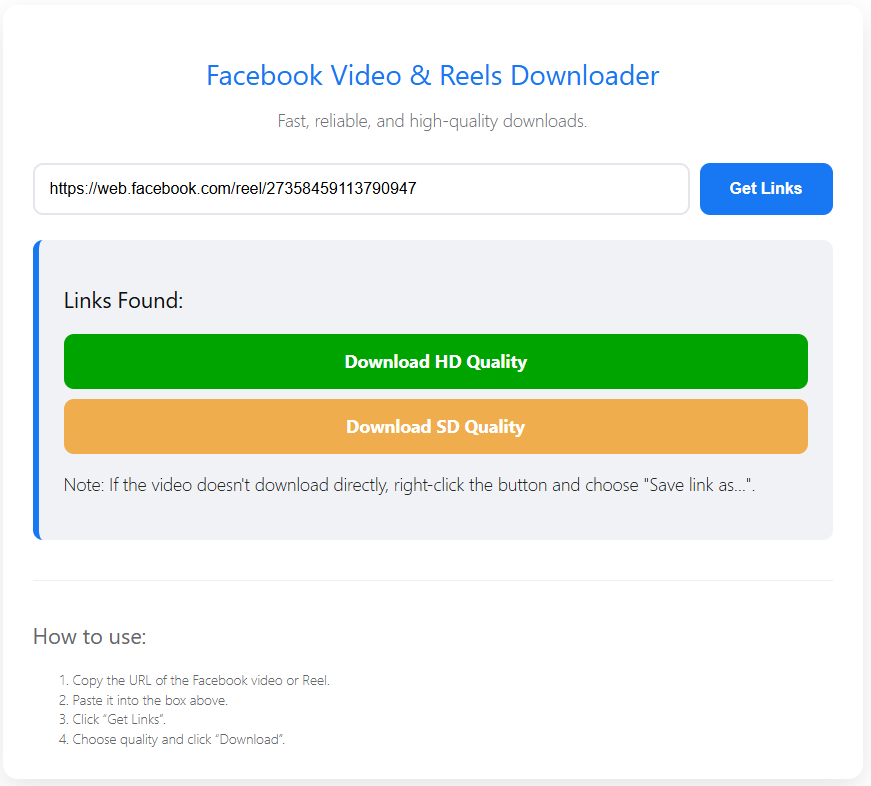
Facebook Video & Reels Downloader
Fast, reliable, and high-quality downloads.
How to use:
- Copy the URL of the Facebook video or Reel.
- Paste it into the box above.
- Click "Get Links".
- Choose quality and click "Download".
Facebook Video Downloaders: Safe, Free, and Fast Methods
We’ve all been there: you’re scrolling through your Facebook feed or checking out the latest Reels, and you hit a video you absolutely love. Maybe it’s a step-by-step cooking tutorial, a breakdown of a complex historical event, a hilarious meme, or a rare family video shared by a distant relative. Your first instinct is to save it so you can watch it later, share it on another platform, or keep it as an offline backup.
But when you click Facebook’s native options, you quickly realize a frustrating limitation. Facebook only lets you “Save video” to your in-app bookmark list. It doesn’t let you download the actual file to your phone’s camera roll or your computer’s hard drive. If the original poster deletes the video, or if you lose your internet connection while traveling, that video is gone.
To bridge this gap, you need a reliable Facebook video downloader. In this comprehensive guide, we’ll break down the absolute best ways to extract and save Facebook videos in high definition across your desktop, iPhone, and Android devices—completely free and safely.
Why Facebook Keeps Your Videos Locked Up
Before diving into the tools, it helps to understand why this problem exists in the first place. Facebook is an ecosystem built around user retention. They want you—and anyone you share content with—to stay inside their ecosystem for as long as possible so they can serve ads. Providing a clean, one-click download button would encourage users to leave the platform or distribute content offline, which hurts their bottom line.
Furthermore, Facebook uses a highly dynamic content delivery network (CDN). A single video isn’t just one static file sitting on a server; it is often broken down into separate video and audio streams optimized on the fly based on your current internet speed. This is why many basic downloaders fail or produce videos that are completely silent.
To bypass these hurdles safely without compromising your personal accounts or exposing your device to malware, you need specialized tools and strategies.
1. Online Facebook Video Downloaders (No Software Needed)
For 90% of users, an online web-based downloader is the easiest approach. These platforms require zero installation, work directly within your web browser, and can process links within seconds.
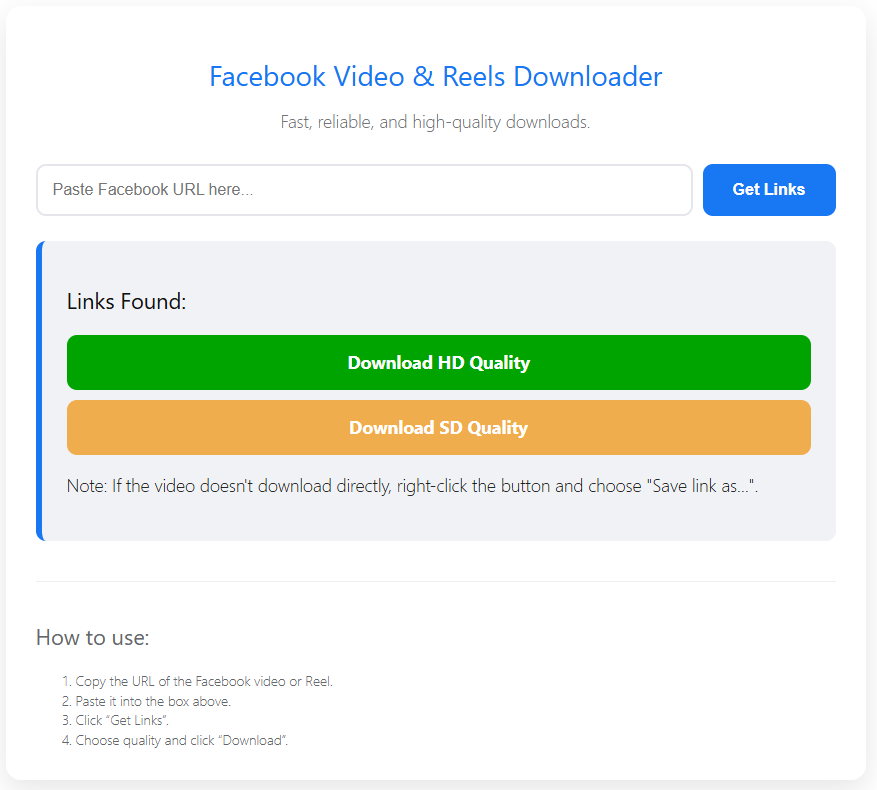
Most online tools use a unified layout that looks very familiar. You paste a link, the tool queries Facebook’s public endpoints, fetches the raw MP4 media files, and serves them to you via a direct download link.
Top Web Downloaders to Choose From
- SnapSave: Widely regarded as one of the fastest web tools for pulling up to 4K resolution videos from Facebook. It features a relatively clean interface with fewer intrusive pop-up ads than its competitors.
- FDOWN.net (formerly FBDown): A classic in the space. It handles standard public links smoothly and offers a dedicated browser extension for users who find themselves downloading videos daily.
- SaveFrom.net: A massive multi-platform downloader that works incredibly well for Facebook. Note that it will often push you to install their desktop helper application, but the browser-only download option works fine if you click carefully.
Step-by-Step Guide: Using a Web Downloader
To download any public video using an online tool, follow these specific operational steps:
1.Locate and Copy the Video URL:Step 1.
Navigate to the Facebook video you want to download. Click the Share button beneath the post, then select Copy Link. If you are on a desktop browser, you can also copy the direct URL straight from your browser’s address bar.
2.Paste into the Downloader:Step 2.
Open your chosen web downloader (e.g., SnapSave or FDOWN) in a new browser tab. Click into the prominent input field that says “Paste video URL” and press Ctrl + V (Windows) or Cmd + V (Mac) to paste your link.
3.Render the Download Options:Step 3.
Click the Download button next to the input field. Wait 2 to 5 seconds while the engine parses the video streams and generates quality presets.
4.Select Quality and Save:Step 4.
Choose your preferred quality profile. You will typically see options for Normal Quality (SD) and High Quality (HD). Click the download button next to your preference, right-click the video if it opens in a new tab, and choose Save Video As… to finalize the download.
2. The “No-Tool” Desktop Hack (The Mobile Browser Trick)
If you are highly protective of your device’s security and prefer not to trust third-party web downloaders that are often covered in sketchy ads, there is a legendary workaround. This trick forces Facebook to serve you the raw video file directly from its mobile web interface, stripping away its download-blocking scripts.
Here is how you do it directly on a desktop browser like Chrome, Edge, or Firefox:
- Get the Link: Copy the URL of the Facebook video (e.g.,
[https://www.facebook.com/watch/?v=123456789](https://www.facebook.com/watch/?v=123456789)). - Modify the Address Bar: Paste the link into your browser’s address bar, but do not press enter yet.
- Change the Subdomain: Look at the start of the URL. Replace the
wwworwebwithmbasic. Your link should now look something like this:[https://mbasic.facebook.com/watch/?v=123456789](https://mbasic.facebook.com/watch/?v=123456789) - Load the Basic Site: Press Enter. You will see an old-school, stripped-down mobile version of Facebook that looks like it belongs in 2005. Don’t worry—this is exactly what we want.
- Trigger the Video Player: Click the play button on the video. This will open the video file in a clean, isolated browser media player tab.
- Save the Raw File: Right-click directly on the playing video and select Save Video As… (or click the three vertical dots in the bottom right corner of the video window and hit Download).
Your browser will instantly download the video as a native .mp4 file, completely clean, ad-free, and safe.
3. How to Download Facebook Videos on Mobile Devices
Mobile apps present unique challenges because Android and iOS handle file saving very differently. Below are the cleanest ways to download Facebook videos right to your phone’s local storage.
For Android Users
Android’s file system is open, making downloads relatively straightforward.
- Method: Open the Facebook app, tap Share, and copy the video link. Open Google Chrome or any mobile browser and head over to an online web downloader like SnapSave. Paste the link, select the quality, and hit download.
- Storage Location: The file will save directly into your device’s Downloads folder, which you can easily access via the native Files app or view instantly in your Google Photos/Gallery app under the “Downloads” album.
For iPhone (iOS) Users
Apple’s strict sandbox security means you cannot simply click a download link in Safari and expect it to automatically show up inside your Photos app camera roll.
- The Workaround: Copy the video link from the Facebook app. Open Safari and head to a trusted web downloader. Paste the link and generate your download options.
- The Critical iOS Step: When you tap download, Safari will prompt you with a pop-up asking if you want to download the file. Confirm it. Look at the bottom-left or top-right of your Safari address bar for a small blue downward arrow icon. Tap it, click Downloads, and select your video.
- Moving to Camera Roll: Once the video opens in full screen, click the iOS Share Sheet icon (the box with an upward arrow) in the bottom left corner, scroll down, and tap Save Video. It will instantly move into your native Apple Photos app.
4. The Power User Approach: Advanced Desktop Alternatives
If you need to archive hundreds of Facebook videos for research, video editing, or content moderation, clicking through web downloaders one by one is an inefficient nightmare. Power users should look into open-source or local desktop software alternatives.
Using VLC Media Player
Many people don’t know that the ubiquitous, free VLC Media Player is secretly a powerful stream catcher.
- Copy the Facebook video URL.
- Open VLC, click Media in the top menu, and select Open Network Stream… (or press
Ctrl + N). - Paste the Facebook video link into the network URL box and click Play.
- While the video plays inside VLC, click Tools > Codec Information.
- At the bottom of the window, copy the incredibly long link listed in the Location field.
- Paste that link back into your web browser, right-click the video player, and save it.
Using yt-dlp (Command-Line Masterpiece)
For developers, system administrators, and tech enthusiasts, yt-dlp is the undisputed gold standard for downloading web video. It is a command-line tool that can bypass almost any website’s download blocks, including Facebook’s adaptive streams.
By typing a single command into your terminal:
Bash
yt-dlp -f "bv*[ext=mp4]+ba[ext=m4a]/b[ext=mp4]" [FACEBOOK_VIDEO_URL]
yt-dlp will automatically fetch the highest possible video track, download the highest possible audio track, extract them simultaneously, and automatically merge them together into a perfect, lossless MP4 file on your machine using FFmpeg.
Head-to-Head Comparison: Choosing Your Ideal Method
| Downloader Method | Best Suited For | Processing Speed | Device Compatibility | Safety & Security Profile |
| Online Web Tools (SnapSave, FDOWN) | Casual users needing a quick download | Extremely Fast (seconds) | Universal (PC, Mac, Android, iOS) | Moderate (Heavy ads; click carefully) |
| The mbasic Hack | Users who reject third-party websites | Manual (requires editing URL) | Desktop browsers only | Maximum (uses pure native Facebook code) |
| Mobile Browser + Share Sheet | Smartphone power users on the fly | Moderate | iOS & Android | High (relies on browser engine buffers) |
| yt-dlp / VLC | Archiving bulk content or high-res clips | Instant batching capability | Windows, macOS, Linux | Maximum (Open-source, local processing) |
Safety, Privacy, and Legal Considerations
While downloading videos for personal offline viewing or archiving is incredibly common, it is absolutely essential to navigate the space ethically and legally.
Understanding Copyright and Fair Use
Just because a video is posted publicly on Facebook does not mean it belongs in the public domain. The creator or publisher of that video retains intellectual property rights over their footage.
The Golden Rule of Downloading: Downloading content to watch offline while camping or commuting falls generally under personal use. However, downloading someone else’s creative work to re-upload to your own YouTube channel, use in an commercial ad campaign, or monetize without permission is a direct violation of copyright law and Facebook’s Terms of Service.
Always seek explicit permission from content creators if you plan to repurpose their downloaded clips for public projects.
Protecting Your Personal Data Online
Online downloader websites can be expensive to run due to massive bandwidth demands. To monetize their sites, owners frequently resort to aggressive ad networks.
To stay completely safe while using online web tools, adhere to these simple security practices:
- Never Log In: A legitimate public video downloader will never ask you to type in your Facebook username or password. If a site presents you with a fake Facebook login portal, close the tab immediately; it is a phishing scam designed to steal your credentials.
- Avoid Installer Files: If you click “Download” and a file pops up ending in
.exe,.dmg, or.apk, do not open it. True videos download as media files (.mp4,.mov, or.mkv). An executable setup file disguised as a video is almost certainly a vehicle for malware or browser hijackers. - Use an Ad-Blocker: Running an effective ad-blocking browser extension will strip away misleading “Fake Download” buttons, tracking scripts, and malicious pop-ups, leaving behind only the clean download utility.
Troubleshooting Common Errors
“Private Video Link Error”
If your chosen tool displays a message saying “Cannot find video” or “Link is private,” the video you are trying to grab is restricted by Facebook’s privacy audience filters (e.g., set to “Friends Only” or shared inside a hidden, private group). Standard web downloaders cannot access these files because they do not have your active Facebook login session tokens. To download these safely, you must utilize specialized private browser extensions that capture the page’s source code locally while you are actively logged into your account.
“The Video Has No Sound”
As mentioned earlier, Facebook frequently splits high-definition video paths into isolated audio streams and video streams to adjust for network lag. If your downloaded video plays silently, your chosen downloader failed to stitch the audio tracks together. Try passing the link through an alternative tool like SnapSave, or use the desktop VLC player method to capture the full stream natively.
“The Quality Looks Extremely Pixelated”
When a video is uploaded to Facebook, the server takes several minutes to process high-definition tiers (720p, 1080p, and above). If you attempt to download a clip immediately after it drops live on a page, you will only be able to pull down the low-resolution mobile file. Wait ten to fifteen minutes and try running the link through your downloader again once the HD rendering passes finish on Facebook’s backend.
Frequently Asked Questions
Can I download Facebook Live videos?
Yes, but only after the live stream has officially concluded and the broadcaster has saved the broadcast as a static video post to their feed. You cannot use online downloaders to capture a live stream in real-time as it airs.
Does the content creator know if I download their video?
No. Facebook does not notify users, page owners, or creators when someone downloads their video using third-party tools or browser extensions. Your download footprint is completely private.
Can I download Facebook Stories or Reels?
Absolutely. Reels function under the same public URL architecture as standard videos. Simply tap the three dots on the Reel, copy its link, and drop it into any of the web-based tools highlighted above. Stories can be saved using the desktop mbasic hack while the story plays dynamically on your screen.
Do I need to pay for a high-definition download?
No. Any platform demanding a premium subscription or credit card input to download a standard Facebook video is taking advantage of you. All methods listed in this guide—from web engines to command line binaries—are entirely free to use.